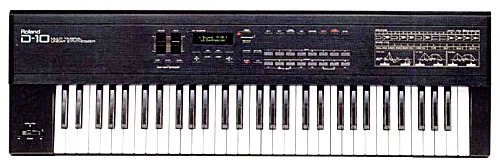
As I recently started to take stock of my musical equipment, I realized that I remembered reading that my Roland D-10 synthesizer, which my wife bought for me in the late 1980s, had an internal battery that needed replaced from time to time to keep the factory patches from being lost.
Let’s see, it’s 2008, minus 1988, carry the one… egad, it’s 20 years old and I haven’t ever changed the battery!
A quick Internet search found only one or two references, but it appeared that it was easy to do, so I gave it a try. First, I made sure that the patches were still alive – I hadn’t used the keyboard since, well, it had been a while. Happily, the sounds were all still there. Also, I had a 256D memory card, which likewise needed its battery replaced.
Here’s how:
- First, replace the battery in the 256D card. It looks too thin to even have a battery, but sure enough, there’s a little pull-out slot. The card takes a lithium CR2016 battery. About four bucks at the local drugstore.
- Copy all the patches from the D-10 to the 256D card.
- Unplug the D-10, and turn it upside down. Prop it up with a couple of paperback books at each end, so that it isn’t resting on the pitch bender.
- Remove all the screws on the bottom of the synth, except those that connect the feet to the base. Then, remove all the screws along the bottom edge of the rear panel.
- The whole bottom will now easily lift right off.
- You might want to blow some dust out with a can of compressed air. The synth doesn’t collect dust nearly as much as a computer will, but odds are there will be a few bunnies living in it.
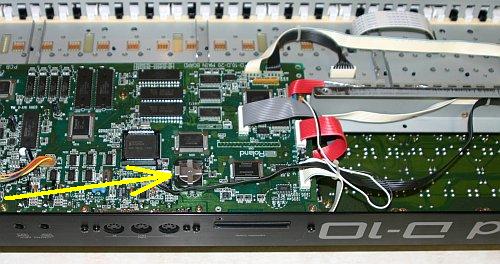
- The battery is obvious. It is a lithium CR2032, which will run you another four bucks. Expensive maintenance, eh? With a tiny screwdriver, it’s easy to slide the old battery out and tuck the new one in.
- Replace the bottom panel and put the screws back in. The patches will be scrambled or lost, so now you’ll want to copy them back to the synth from the 256D card.
The whole job takes under ten minutes and costs about eight dollars. Not a bad service cost for an instrument that was priced at about $1500 new!